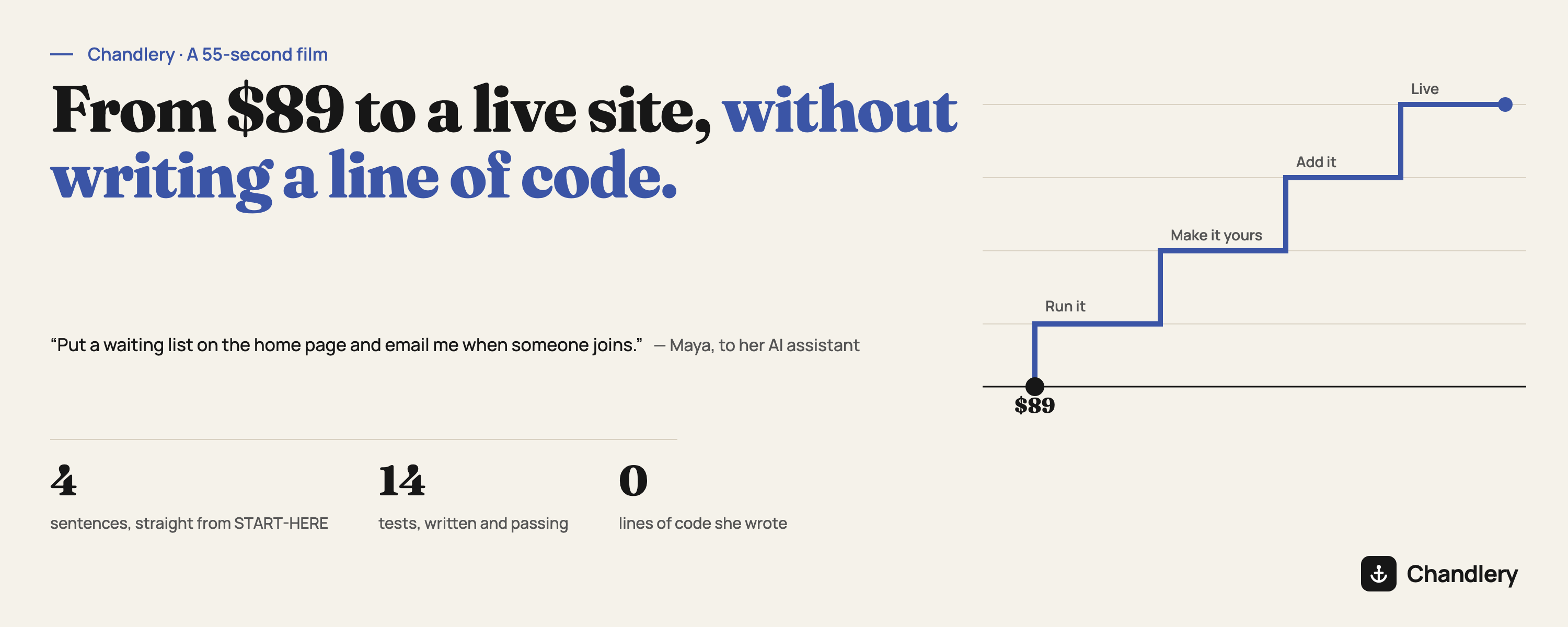
We made a short film about what Chandlery is for. Fifty-five seconds, no voice-over:
Maya teaches pottery on weekends. Every class fills up, and people keep asking her the same thing: is there a waitlist? She is not a developer, and she does not want to become one. She wants a page where people can leave their email, and an email to her when they do.
Four sentences
Chandlery comes with a guide, START-HERE.md, that tells you what to say to your AI assistant at each stage. Maya says exactly that — to Claude Code, but Cursor or Codex work the same way:
- Run it. "Set this project up to run locally: install the dependencies, create the local database, and start the dev server. Then tell me the address to open in my browser." A few minutes later the site is open on her own computer.
- Make it yours. "Change the name of this app to Saturday Clay, and replace the text on the home page so it describes my pottery class." The page is hers.
- Add what it does. "Put a waiting list on the home page and email me when someone joins." The assistant adds email with one command, then writes the rest: a table for the list, the form, the email to Maya, and a test for all of it. She types an address into the form and gets back "You're on the list."
- Put it online. "Set up the staging environment on my Cloudflare account and deploy this project to it. Then give me the URL." The assistant creates the database, checks the project, deploys it and hands back an address. She opens it on her phone.
That is the whole film. There is no fifth step where somebody who knows what they are doing takes over.
What she did not have to know
Look at what happened between those sentences, and at what Maya never had to decide:
- Where the data lives. The database was already set up, locally and on Cloudflare, with migrations that run in the right order.
- How email is sent. Email is one of the 12 features that install with one command. It works locally from the first minute — messages go to the log until you add a sending address — so nothing breaks while you are still building.
- Whether it works. The waitlist came with its own test, and every test ran before the deploy was allowed to happen. Halfway through the film you can see one fail: the first version refused an address typed with capital letters and a trailing space. The test caught it, the assistant fixed it, and all fourteen passed. Nobody who joined the list ever saw it.
- Servers. There is no server. The site runs on Cloudflare, costs nothing until it has real traffic, and there is nothing to keep patched.
This is the part an assistant cannot improvise well on its own: which decisions are load-bearing, and how they fit together. They are made already, and they are tested. What is left is the part only Maya can decide — what her product does.
From here to production
Staging is a real site on the internet, meant for showing people. Going to production is one more sentence from the same guide — "I want to go to production. First review whether this project is actually ready" — then a written confirmation, because production should always ask. Pointing her own domain at it is one more: "Help me point my domain at this production deployment."
How the film was made
We did not design these screens. We took the starter exactly as a buyer downloads it, gave an AI assistant Maya's four sentences, and filmed what it built. The pages in the film are the real pages running; the commands, file names and deploy steps are the ones that ran; the address at the end is the real deployment.
A few things are illustrative: Maya herself and the messages at the start; the moment she signs in to Cloudflare (the guide asks you to do this once, and the machine we used was already signed in); and the email arriving on her phone, which needs a sending address that the demo does not have.
What $89 is for
The film is fifty-five seconds because that is how long it takes to watch. Doing it yourself takes longer — the guide's own estimates are about ten minutes to get it running and an afternoon to make it yours, and the part that is truly yours takes as long as it takes. At no point does it ask you to write code, and at no point does it ask you to look after a server.